
The message arrives twenty minutes before you're due to meet: "Cash only, and I can't hang around long — another buyer's coming at six." The photos look immaculate and the price is good. This is exactly the moment people get caught: the problems that matter never show in photos. They show up a week later, or a month later, when the phone stops working and no repair shop can fix it.
Short answer
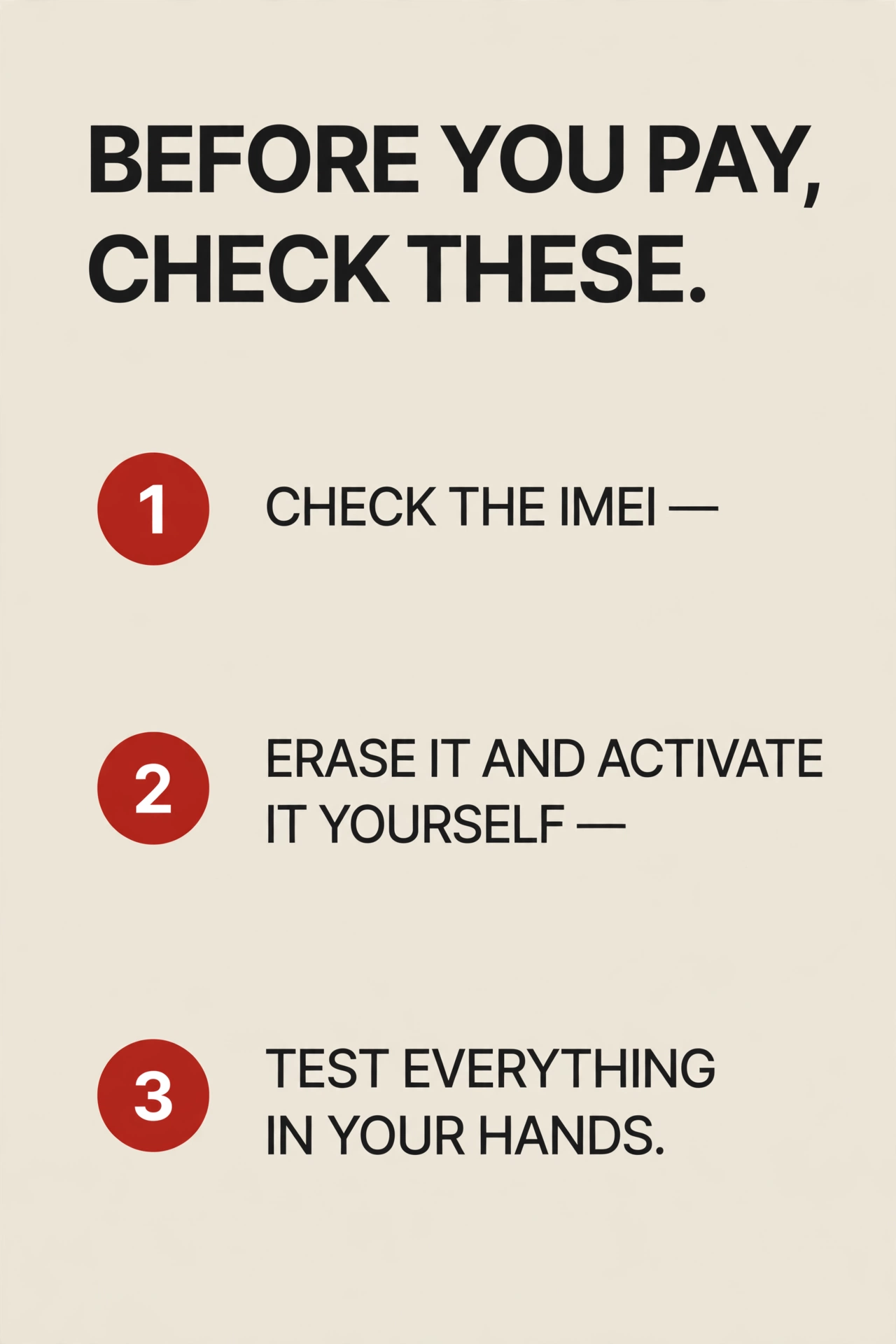
Three checks, in order. First, get the IMEI from the seller before you meet and run it through a checker: it shows whether the phone has been reported stolen or blacklisted. Second, at the meeting, have the seller sign out of iCloud, erase the phone, and activate it yourself with your own Apple ID and SIM before any money moves. Third, the physical checks: battery health, Face ID, cameras, a test call. A seller who agrees to all three is selling a clean phone, almost certainly. One who argues with step two has told you everything.
Three different problems that everyone mixes up
People say "blacklisted" as if it's one thing. It isn't — a used iPhone can be in three separate states.
Reported stolen or blacklisted. When an owner reports a phone lost or stolen, its IMEI goes onto a blacklist shared by the mobile networks, and every carrier refuses it. The phone powers on and Wi-Fi works, but put a SIM in: no service, ever. It isn't broken. It's barred.
iCloud Activation Lock. Nothing to do with networks. If the phone is still signed into the previous owner's Apple account with Find My on, erasing it doesn't free it — it locks it harder. Setup stops at a screen demanding that person's password, and without it the phone is a brick. This catches more buyers than blacklisting: it works perfectly until it's reset.
Carrier-locked or still being financed. The sneaky one. Phones get sold while being paid off on a contract. It works today — but if the owner stops paying, the carrier can blacklist it later. It may also be locked to one network, so your SIM won't work even though the phone is clean.
The first two are effectively permanent for a buyer. The third is a time bomb. You want none of them.
The three states, side by side
- Blacklisted — the IMEI was reported lost or stolen and is barred by the carriers, so no SIM gets service. Can it be fixed? No — only whoever reported it can ask for its removal.
- Activation Locked — still tied to the previous owner's Apple account; setup stops at their password. Fixed only by that owner signing in or removing it from their account.
- Carrier-financed — still being paid off on a contract, and possibly locked to one network. Sometimes fixable — once the balance is settled, the network can unlock it.
Get the IMEI before you meet anyone
The IMEI is the phone's fingerprint, unique to that handset, and it's what gets blacklisted — so it's what you check. It's in Settings under General, then About; on screen if you dial *#06#; printed on the SIM tray of many models; and on the original box. Trust the one in Settings, from the phone itself, not a tray or box from another handset.
Ask the seller to send it before you meet — a screenshot of the About screen is ideal. It's a normal request, and honest sellers send it without blinking. A seller who won't share it is a red flag, full stop: there's no innocent reason to refuse, so walk away at the message stage.
What to run on that IMEI
Apple's own Check Coverage page confirms the model and warranty status from the number, proving it belongs to an iPhone of that model. Free IMEI checker services report blacklist status, and several also show whether Activation Lock appears to be on, whether the phone is tied to a carrier, and sometimes whether it's still on a finance plan. They vary in reliability, so run two and compare.
The strongest check is the least high-tech: walk into a carrier store and ask staff to look the IMEI up. Shops do this constantly.
One limitation: blacklists are shared well between carriers within a country, but not perfectly across borders — a phone barred in one country may still work in another, which is exactly why stolen phones get exported.
The test that matters most: erase it and set it up yourself
This is the check that catches Activation Lock with complete certainty. Ask the seller to sign out of iCloud in front of you, then erase the phone: Settings, General, Transfer or Reset, Erase All Content and Settings. Then run setup yourself, with your own SIM in and your own Apple ID.
If at any point it asks for the previous owner's password, stop. Don't pay while the seller "tries to remember it" or promises to get the code from his brother tonight. Codes arriving tonight have a way of never arriving, and the forums are full of buyers who believed that sentence and now own a phone that shows them one screen, forever.
Sellers sometimes resist the erase in case you pull out afterwards, leaving them with a wiped phone. Fair enough — agree the order in the chat beforehand: checks first, erase and activation test, then payment the moment it activates, all in writing.
While you're standing there: the physical checks
With the phone activated on your account, spend five more minutes before paying. Open Settings, Battery, Battery Health: high eighties or above is healthy, low eighties means a battery bill is coming, and a service warning should cut the price or end the conversation.
Then the quick sweep. Face ID or Touch ID — watch the seller unlock with it. Both cameras, a photo with each. The silent switch. A test call on your own SIM, which also proves the earpiece and microphone. And plug in a charger to confirm it charges.
The scam that arrives a month after you've paid
Here's the story that turns up in marketplace groups again and again: the phone worked for a month, then one morning — No Service. The carrier shop checked and said the IMEI had been blacklisted. The listing was gone. So was the seller.
That's the delayed-blacklist scam. The seller sells a phone that is, at that moment, completely clean. Weeks later they report it stolen and claim on the insurance, collecting a payout on a phone they no longer own — while yours gets barred. Every check you ran was accurate — the entry just didn't exist yet.
You can't fully prevent it, but you can make yourself a harder target. Keep the chat screenshots — the listing, the agreed price, the seller agreeing to the erase test — plus their number and profile link. Get a written receipt: date, IMEI, amount, both names, signed. Buy from traceable sellers, not a profile created last Tuesday. Strongest of all: suggest meeting at a carrier store and having staff check the IMEI before money changes hands. Someone planning to report it stolen next month won't enjoy doing the deal inside the network's shop.
Red flags, collected in one place
Any one should slow you down. Two or more should end it.
- The price is far below the usual going rate, with no clear reason
- No box, no charger, and a vague story about where the phone came from
- The seller rushes you — another buyer is always, conveniently, on their way
- They refuse the erase-and-reactivate test, or want paying before it
- The phone is signed into a stranger's iCloud — "it's my cousin's, he just hasn't signed out yet"
- They won't send the IMEI in advance
Frequently asked questions
Can a blacklisted iPhone ever be unblocked?
Only by whoever had it blacklisted — the owner or their insurer — asking the carrier to remove it. No shop or service can do it for a buyer. Sites promising to unblock any IMEI for a fee are taking money for nothing.
The checker says the phone is clean. Is that enough on its own?
No. A clean IMEI says nothing about Activation Lock, and it can't protect you from a blacklist report filed next month. The IMEI check, the erase test and the paper trail are one job in three parts.
What's the difference between carrier-locked and blacklisted?
A carrier-locked phone works fine, only on one network, and the network can usually unlock it once it's paid off. A blacklisted phone is barred by every network in the country because it was reported lost or stolen. Locked is an inconvenience. Blacklisted is a dead end.
Is it safe to buy a phone that's still being paid off?
It's a gamble — plenty of financed phones get paid off without incident. But if payments stop, the carrier can bar the phone and you'll have no say in it. Unless the price reflects that risk, a paid-off phone is the calmer buy.
The seller says Activation Lock is on because they forgot their password. Plausible?
Forgetful people exist, and Apple has an account recovery process — which the seller can go through themselves. Don't pay first and let their forgotten password become your problem. If it gets sorted later, the phone will still be for sale.
Buy the phone, not the story
Every bad used-iPhone story has the same shape: the checks felt awkward, the seller seemed nice, and the buyer didn't want to be the difficult one — so the checks got skipped. Flip that instinct. The whole routine takes fifteen minutes, and honest sellers expect it. Run the IMEI before you travel, watch the phone erase and activate on your account before you pay, and keep the messages.